
Introduction to napari workshop#
Peter Sobolewski
Imaging Applications, Research IT
napari core developer
May 27 & 29, 2025
This site contains materials for the Introduction to napari workshop
run at JAX on May 27 & 29, 2025.
The slides for the introductory presentation can be accessed here.
Introducing napari#
Python has a rich selection of data visualization tools that cover a wide range of applications, for example Matplotlib (Hunter, 2007), Mayavi (Ramachandran & Varoquaux, 2011), ipyvolume, the yt Project (Turk et al., 2010), ITK (Johnson, McCormick, Ibanez 2015), and more recently napari.
For bioimage visualization some major challenges are:
working with large and complex images: image size and dimensionality
manual interactivity: for human in the loop annotation
interactive analysis: for interactive parameter tuning and quality control
This workshop will introduce napari a fast, interactive, multi-dimensional image viewer for Python.
napari is a fast, interactive, multi-dimensional image viewer for Python. It’s designed for browsing, annotating, and analyzing large multi-dimensional images. It’s built on top of Qt (for the GUI), vispy (for performant GPU-based rendering), and the scientific Python stack (NumPy, SciPy).
napari includes critical viewer features out-of-the-box, such as support for large multi-dimensional data, layering, and annotation. By integrating closely with the scientific Python ecosystem, napari can be easily coupled to leading machine learning and image analysis tools (e.g. scikit-image, scikit-learn, PyTorch), enabling more user-friendly automated analysis.
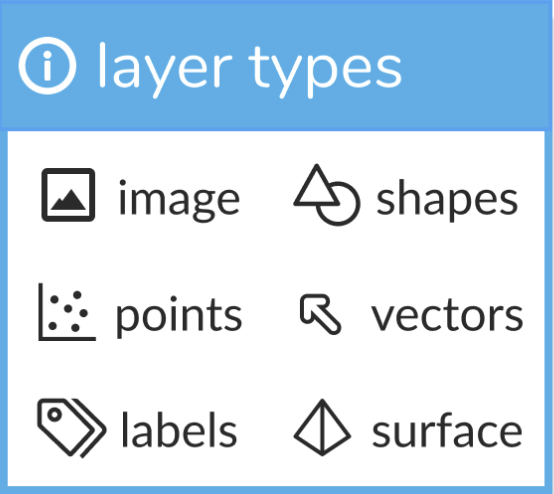
napari supports seven different layer types, Image, Labels, Points, Vectors, Shapes, Surface and Tracks. Each layer corresponds to a different data type and has its own set of visualizations and interactive controls. We provide an associated tutorial for each layer type to help you get started!
You can add multiple layers of different types into the viewer and work with them, adjusting their properties and performing analysis.
napari also supports bidirectional communication between the viewer and the Python kernel, which is especially useful when launching from jupyter notebooks or when using our built-in console. Using the console allows you to interactively load and save data from the viewer and control all the features of the viewer programmatically.
You can (and are encouraged to!) extend napari using custom key bindings, mouse functions, widgets, and our plugin interface. If you want to get a taste, check out the I2K 2024 Intermediate napari workshop materials.
Learn more about napari at napari.org, including our tutorials, our API documentation and our mission and values.
Colophon#
The basis for these workshop materials was the napari-workshops-template project.
Some notebooks were removed and reorganized. Additionally, the napari application walkthrough was based on material from a workshop prepared by Dannielle McCarthy (@dgmccart), Sean Martin (@seankmartin), and Melissa Weber Mendonça (@melissawm).
For information on preparing your own workshop materials using the template, please see the documentation for the napari-workshops-template repository.